For Flex drivers on Android

Stop refreshing.
Start catching.

FlexCatcher watches the Offers screen on your phone and accepts the blocks that match your filters. It runs on your phone: no login, no password, no remote access to your account.

  • No card
  • No password
  • No subscription

On a computer? Scan with your phone camera to get the app on Android.

Built by a Flex driver, for Flex drivers
7 days free trial, no card needed
1 screen the only thing it reads: your Offers list
0 passwords or logins to your delivery app
How it works

Set it up once. It catches for you.

Watch the short demo. Tap a step to jump there.

Be first to the good blocks.

Short demo of FlexCatcher: turn on the FlexCatcher accessibility permission, set your pay and time filters, tap “Start”, and a matching block is accepted automatically.

Your data stays yours

FlexCatcher never asks for your login, password, or bank details. It only reads the offers screen in your gig app. The automation runs locally on your phone; only anonymized diagnostics are sent to fix bugs.

No login or password required
Offers screen only, no other access
No remote login, your account stays private
Signed APK
The app

See it in action

The real app interface. Numbers are sample data.

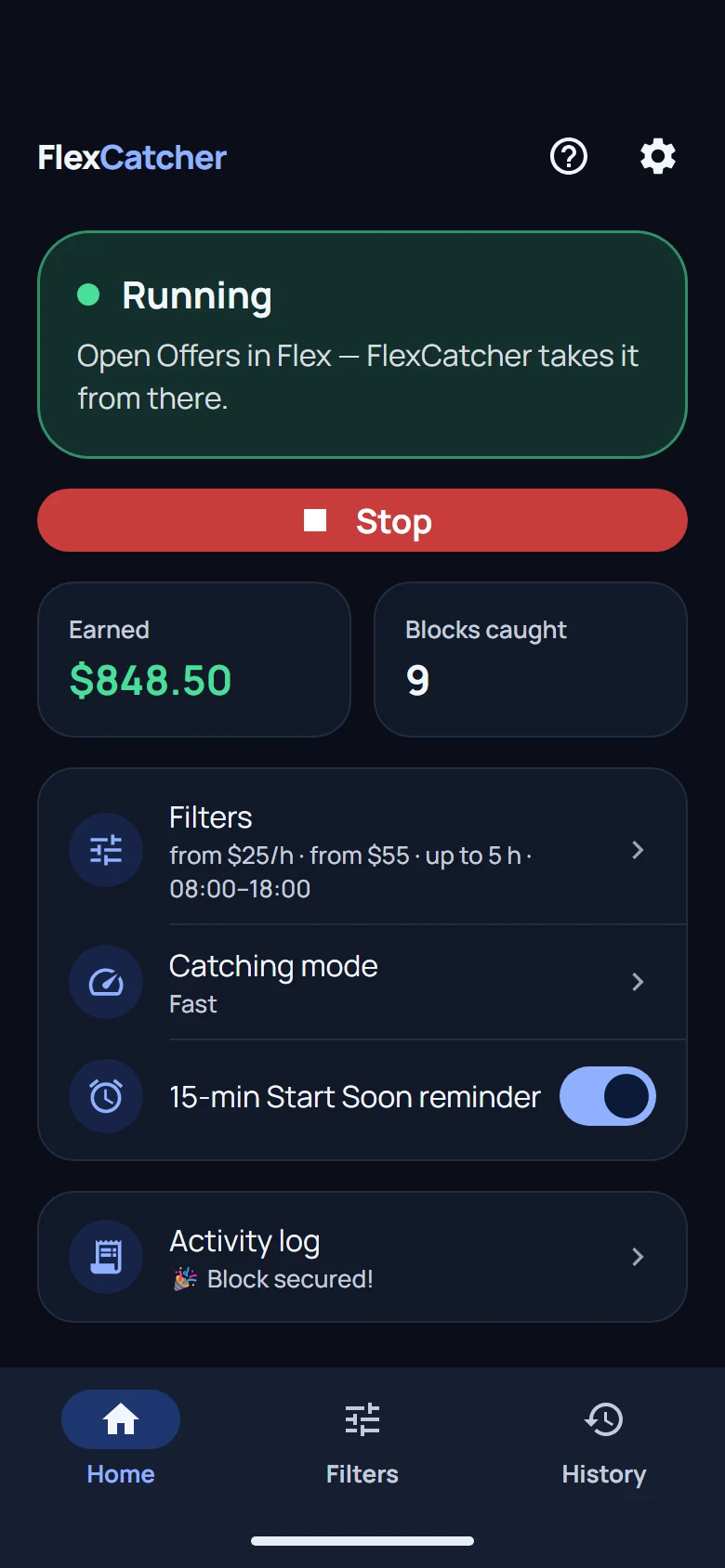
FlexCatcher home screen: searching for blocks, earnings and blocks caught

Start with one tap

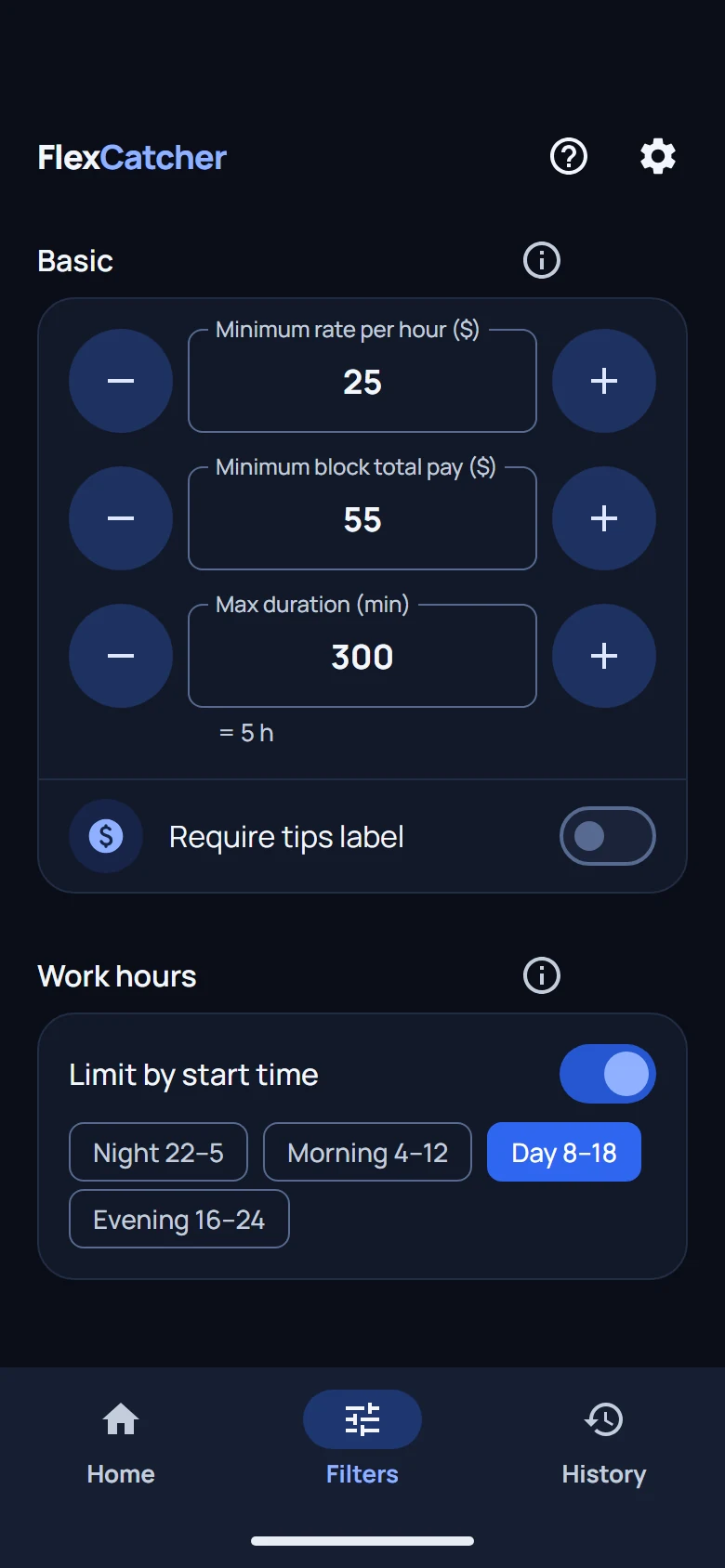
Block filters: minimum rate, minimum pay, max duration and work hours

Set your filters

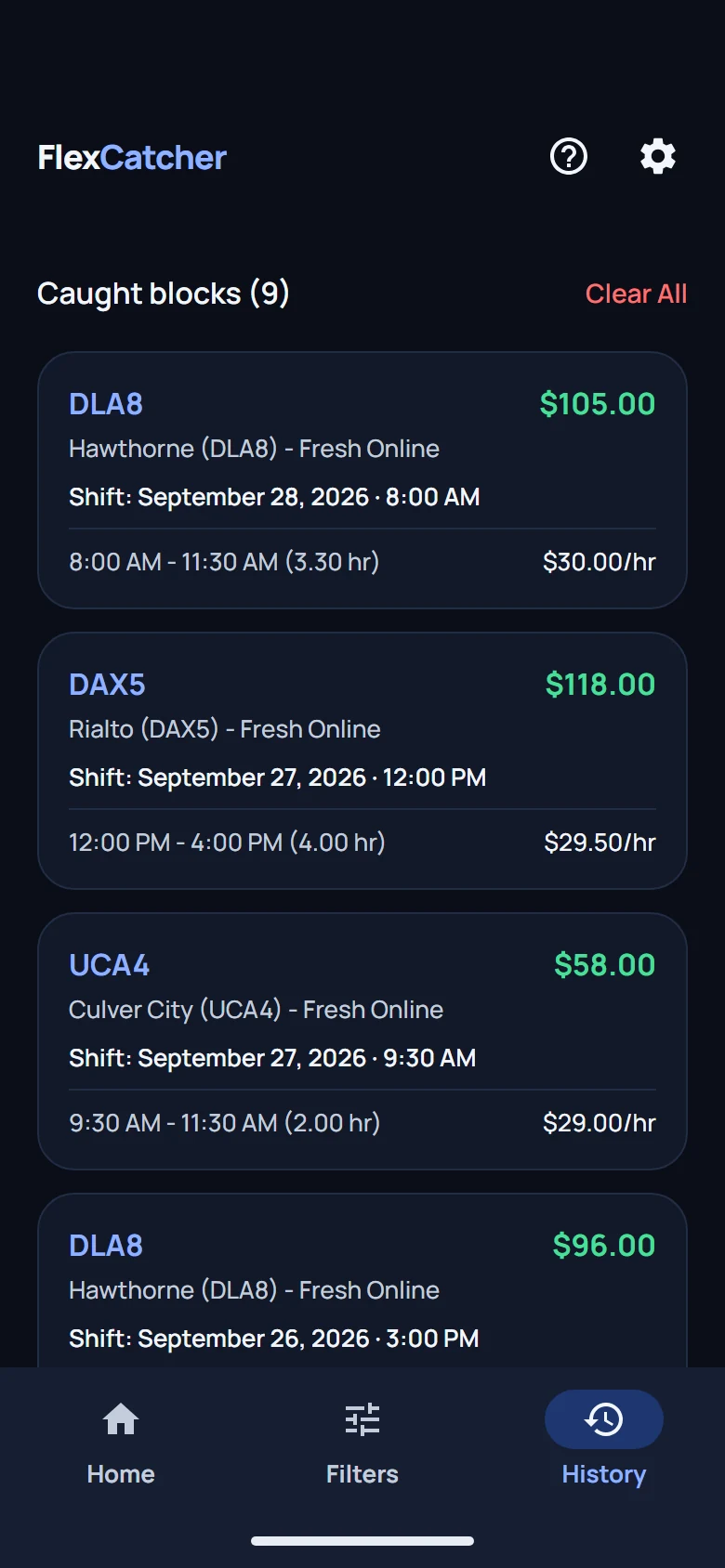
History of caught blocks with station, pay and hourly rate

Track every catch

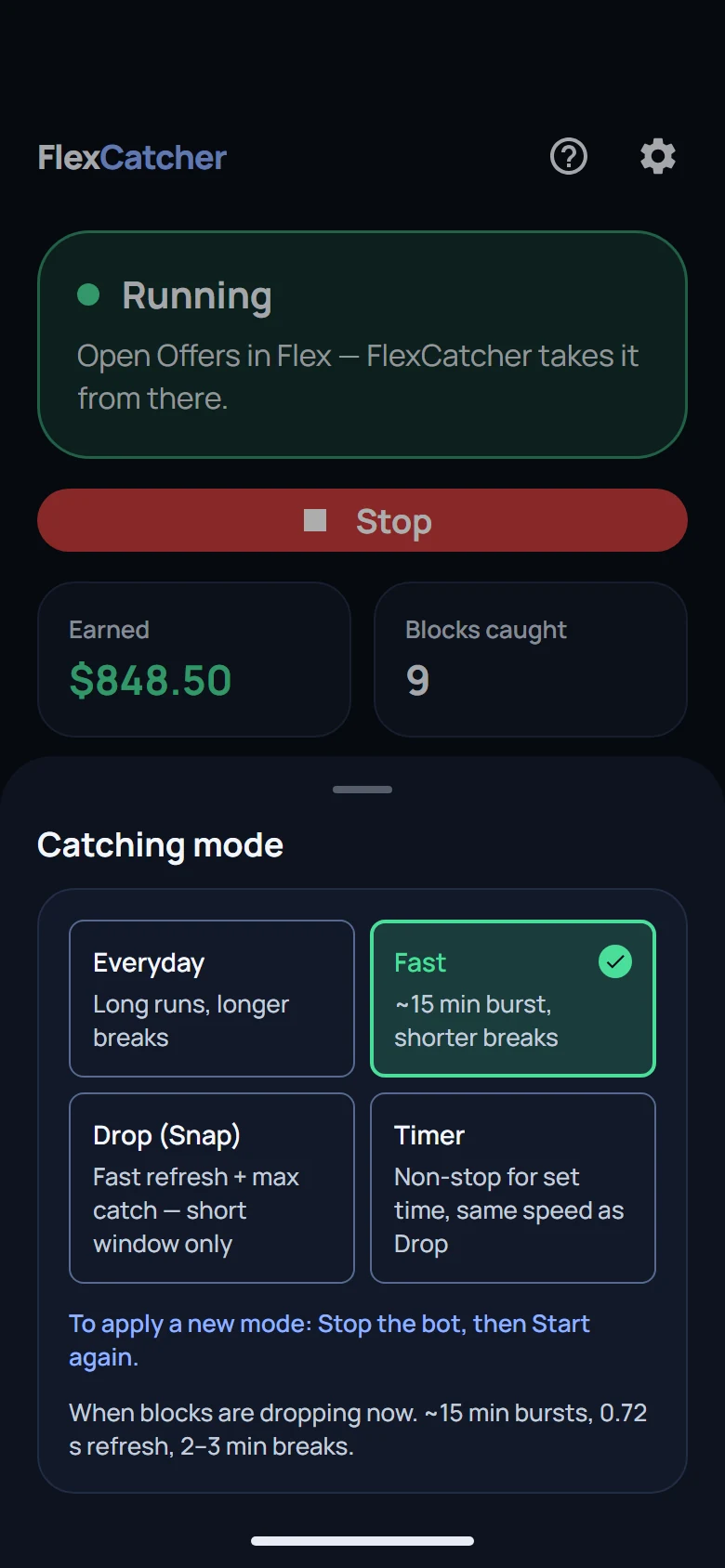
Catching mode picker: Everyday, Fast, Drop and Timer

Pick your pace

Simple Pricing

Free to try. Billing is not live yet.

Download FlexCatcher and try it on real shifts. Paid subscriptions are not available yet — we will announce pricing here before billing starts.

Trial

Full access for 7 days

Test on real shifts.

$0
  • No card required
  • All filters (areas, pay, time)
  • Built-in setup guide
Coming soon

Paid plan (not available)

There is no subscription to buy yet. Nothing is charged today; we will publish the price here before billing goes live.

No payments are processed today

  • Everything in the free trial
  • Updates while we finish billing
  • Price announced before any charge
  • No card required right now
Common Questions

Frequently asked questions

Quick answers before you download.

Is FlexCatcher safe? Is it a virus?

FlexCatcher is safe. We never ask for your login or password. The app only accesses the offers screen in your gig app, nothing else on your phone. The APK is signed. The automation runs on your phone; only anonymized diagnostics are sent to fix bugs (see the privacy policy).

Can I lose my Flex account using FlexCatcher?

FlexCatcher runs on your device. It watches the Offers screen through Accessibility, the same way a screen reader does. It doesn't log into your account from a remote server, doesn't modify the Flex app, and doesn't share your credentials. That said, any third-party tool carries some risk. Use responsibly and in line with the platform's terms.

How does the free trial work?

Download free and start the trial on first launch. You get 7 days of full access, one trial per device, and no card is required. After the 7 days the app stops accepting blocks. We are moving to Google Play: trial users can ask to join the closed beta and keep using FlexCatcher for free while it runs. The app tells you how when your trial ends, or message us on Telegram (@flexcatcher).

How do I cancel my subscription?

There are no paid subscriptions yet, so there is nothing to cancel. When billing goes live, you will manage and cancel in Google Play → Payments & subscriptions. Questions? Message us on Telegram (@flexcatcher) or email flexcatcher.support@gmail.com.

Why does Google Play Protect block the install?

Play Protect warns about any app not from the Play Store, especially on first install from a new developer. FlexCatcher is a signed APK. Tap "Install anyway" on the Play Protect dialog. The warning appears once per device.

How do I enable Accessibility on Android 13+?

On Android 13 and newer, sideloaded apps need an extra step. Go to Settings → Apps → FlexCatcher → three-dot menu → Allow restricted settings. Then open Accessibility and enable FlexCatcher. The in-app guide walks you through it.

What phones are supported?

Android 8.0 or newer with at least 3 GB RAM. Works on most Samsung, Google Pixel, OnePlus, and Motorola devices. No root or special tools needed.

Latest Release

Get FlexCatcher

Signed APK. Checksum published below.

FlexCatcher for Android
Version {version} · {size} · Released {date}
Download APK
SHA-256 —
Also available on APKPure ↗
View Changelog / Release Notes
Version Date Changes
Questions? Message us on Telegram Setup help and answers from the developer. @flexcatcher
Download free