Drive more, tap less. FlexCatcher watches offers on your screen, matches your filters, and automatically accepts shifts for you — all on your device.
No technical skills needed — set your filters once and let the companion do the rest.
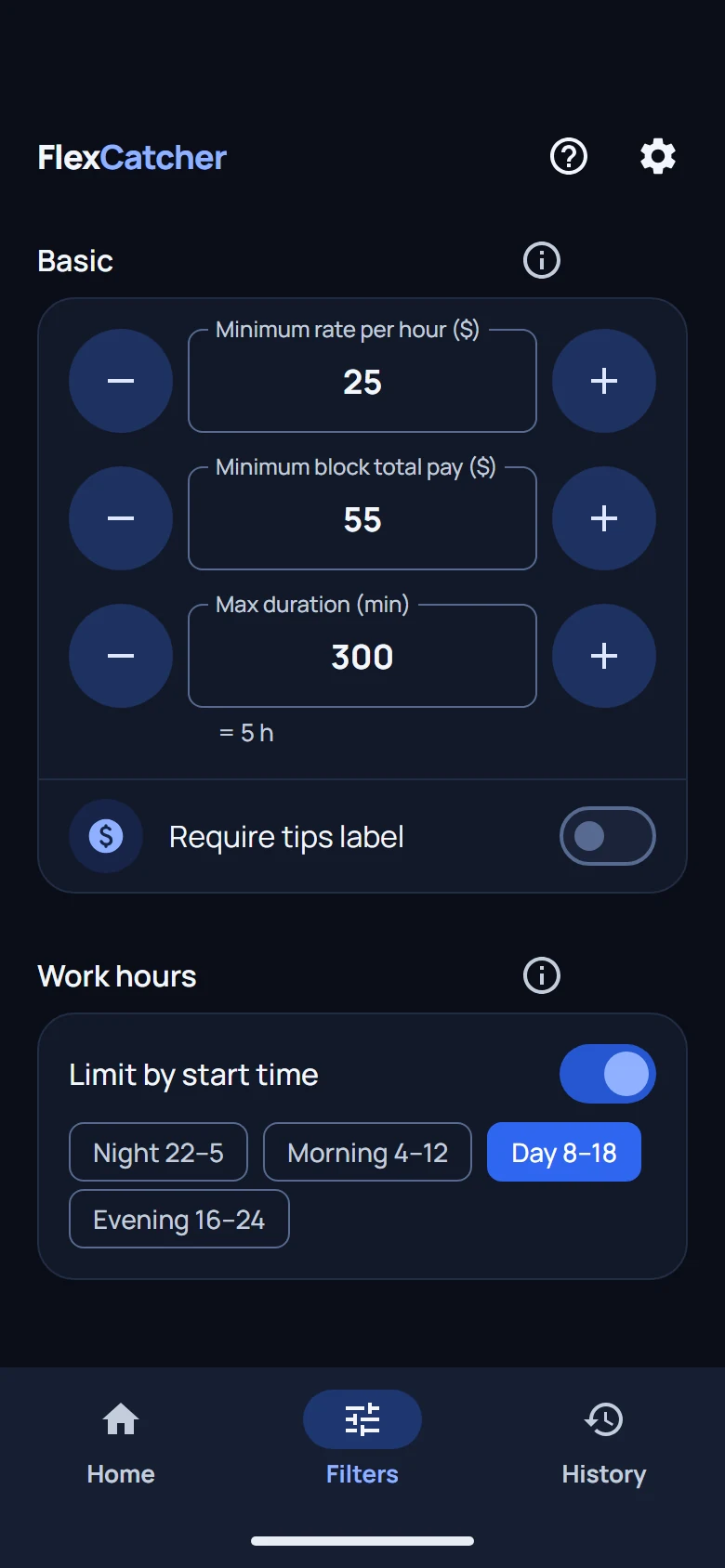
Choose pay, hours, and areas in your delivery app's built-in filters.
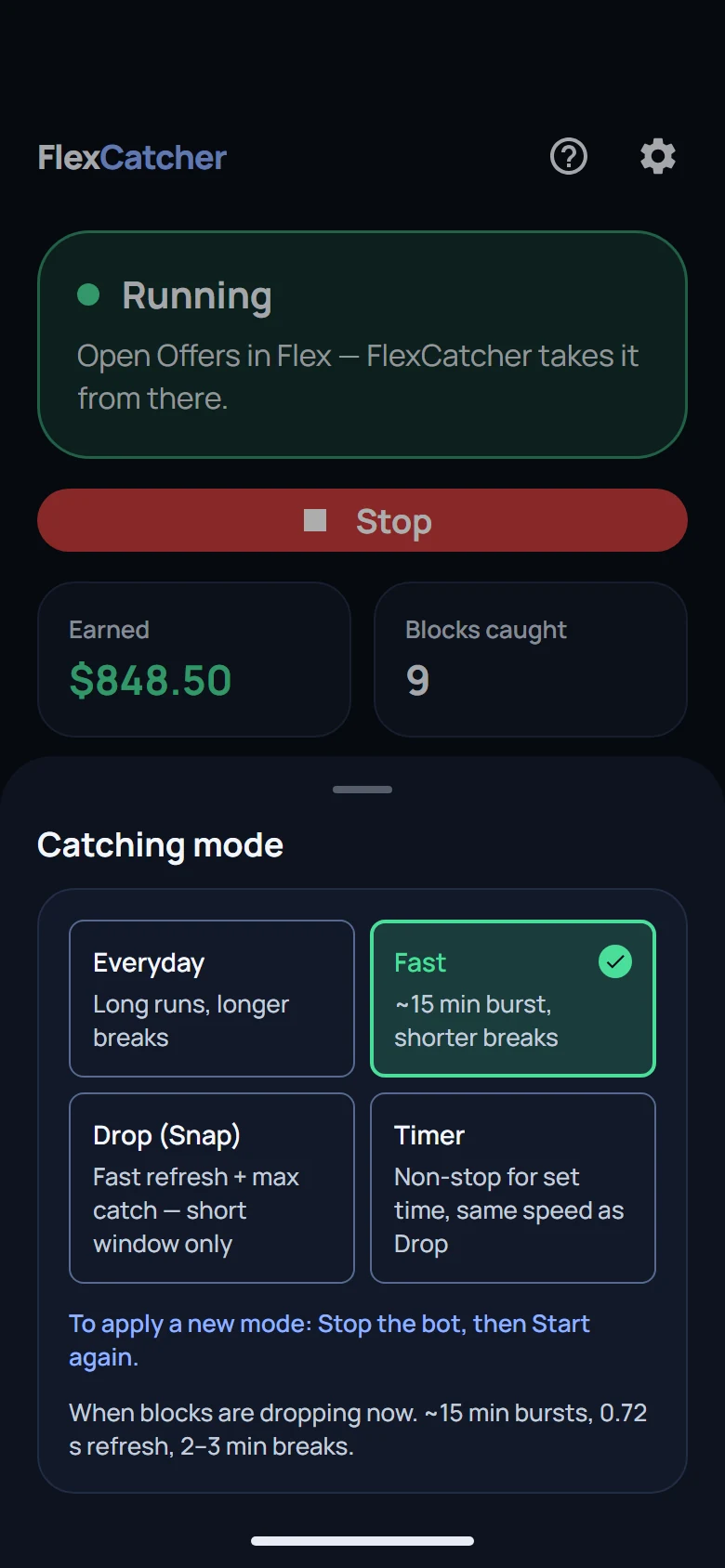
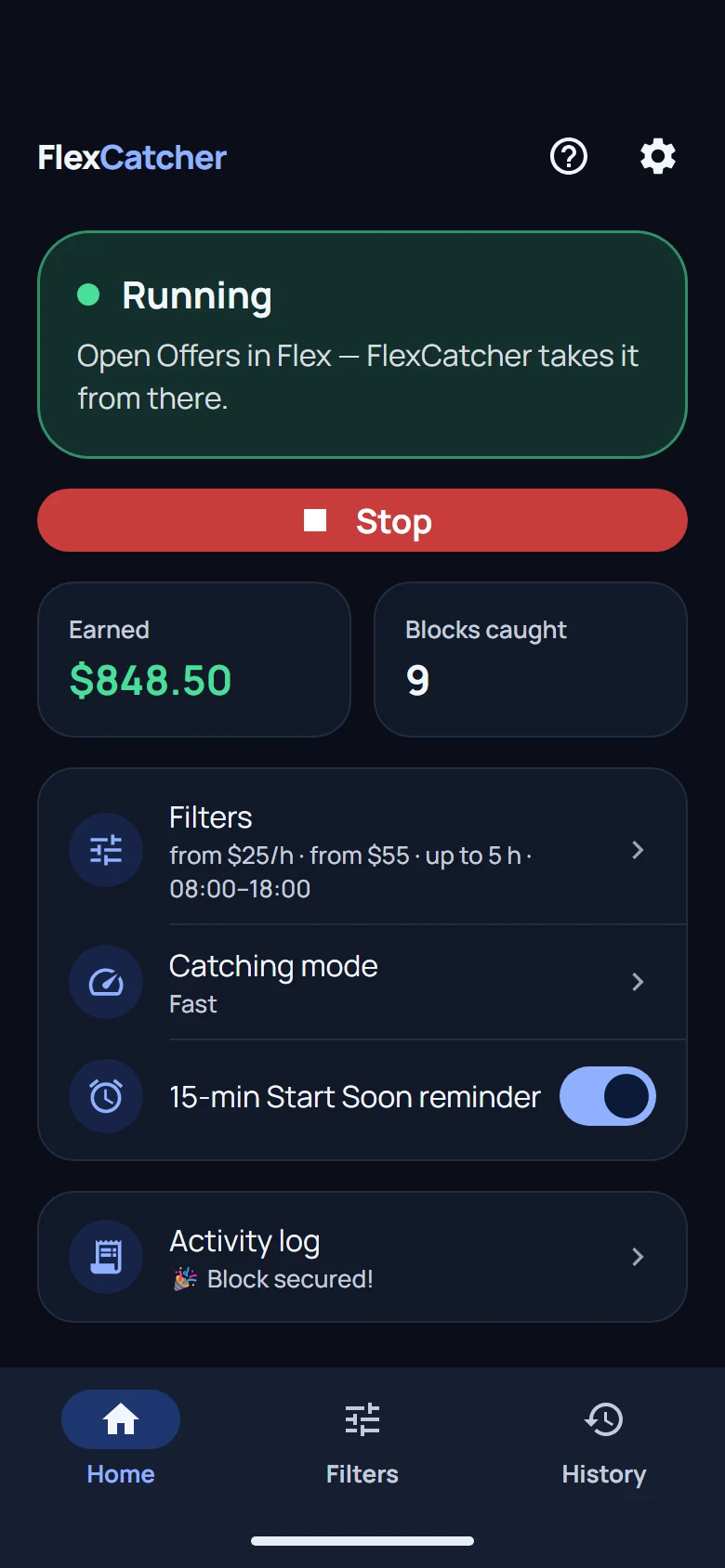
Enable FlexCatcher and it quietly watches the offers screen, looking for shifts that match your criteria.
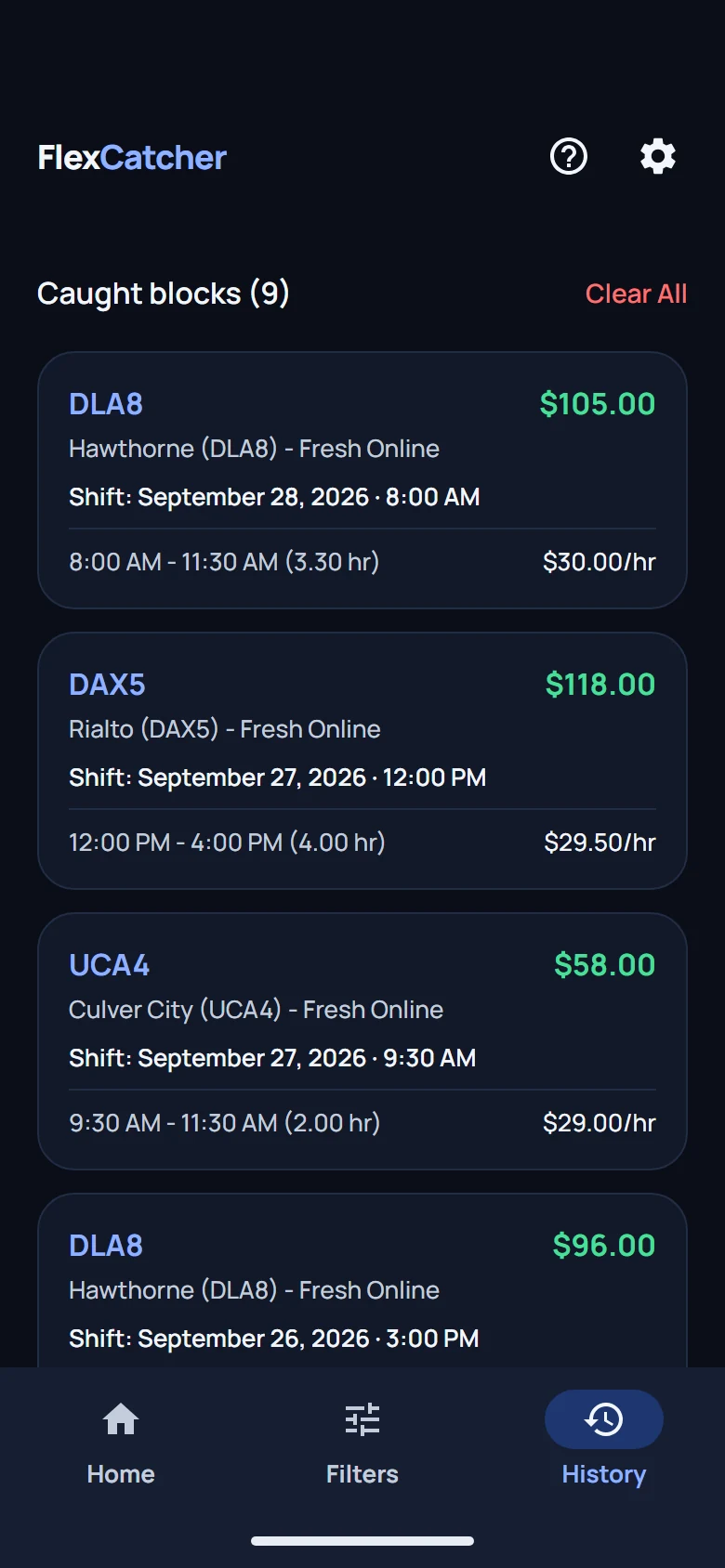
When an offer matches your filters, FlexCatcher accepts it instantly — just like you tapped the button. You also get a push notification so you always know what happened.
Smart filters, natural interaction, and zero cloud middlemen.
Natural tapping rhythm with smooth screen navigation — no unusual behavior.
Set minimum pay, shift length, and areas in FlexCatcher. Offers that don't match are skipped — you only go for shifts worth your time.
Surface-level screen interaction only. No network interception, no VPN, no login sharing, no data sent to third-party servers.
What FlexCatcher looks like on your phone — no mockups.
Unlike many apps, FlexCatcher never asks for your login, password, or bank details. The app only reads the offers screen in your gig app — nothing else on your phone. Everything runs locally on your device.
SHA-256: —
Move the sliders — see exactly where the numbers come from.
Your typical gig schedule
Surge blocks often pay $3–8/hr more than base offers
Estimates only — actual earnings vary by market, filters, and availability.
Step-by-step video showing how to download and set up FlexCatcher on your Android phone.
Start with a 7-day free trial. Subscribe when you see results.
Full access for 7 days. Test on real shifts.
For professional drivers focused on maximum earnings.
Pays for itself in ~1 hour of one shift
Quick answers before you download.
FlexCatcher is safe. We never ask for your login or password. The app only accesses the offers screen in your gig app — nothing else on your phone. The signed APK is independently verified (scan report on our site) and runs 100% locally.
No. FlexCatcher works on regular Android phones without root or any special tools. Install the app, enable the service, and you're good to go.
Android 8.0 or newer with at least 3 GB RAM. Works on most Samsung, Google Pixel, OnePlus, and Motorola devices.
Download the APK and activate the trial on first launch. You get 7 days of free unlimited use — one trial per device. After that, purchase a weekly license ($9.99) to continue.
Cancel anytime via the Stripe billing portal or email flexcatcher.support@gmail.com. Access continues until the end of your paid week. See our Refund Policy for details.
Shift availability depends on your market, filters, and timing. Use the free trial first. If filters are too strict (e.g. $35/hr minimum), try lowering them.
No. FlexCatcher is an independent third-party tool. We are not affiliated with, endorsed by, or connected to Amazon, Inc. or any gig platform.
Play Protect warns about any app not from the Play Store — especially on first install from a new developer. FlexCatcher is a signed APK (VirusTotal 0/70). Tap "Install anyway" on the Play Protect dialog. The warning appears once per device.
Most alternatives run on remote servers and access your account from the outside — platforms can detect that traffic pattern and accounts get restricted. FlexCatcher stays on your phone: it watches the Offers screen you already have open and acts like normal taps. No login sharing, no cloud middleman.
On Android 13 and newer, sideloaded apps need an extra step. Go to Settings → Apps → FlexCatcher → three-dot menu → Allow restricted settings. Then open Accessibility and enable Input Assistance. The in-app guide walks you through it.
FlexCatcher works entirely on your device — it watches the Offers screen through Accessibility, the same way a screen reader does. It doesn't log into your account from a remote server, doesn't modify the Flex app, and doesn't share your credentials. That said, any third-party tool carries some risk. Use responsibly and in line with the platform's terms.
Signed APK — VirusTotal verified. Checksum published below.
| Version | Date | Changes |
|---|